
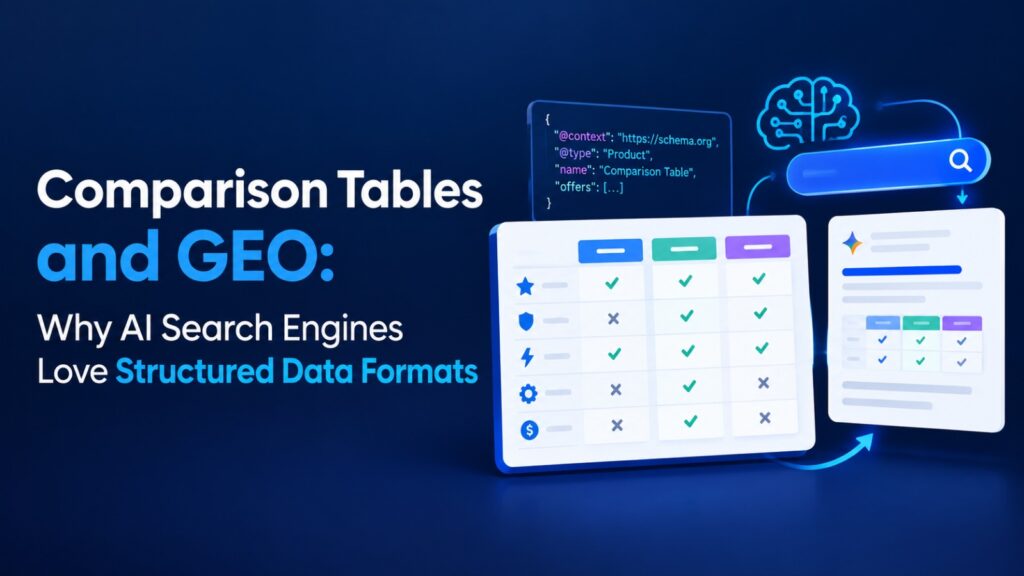
AI search is changing how people discover and consume information. Instead of just showing a list of links, AI-powered search systems can summarize information, compare options, answer questions, and cite sources.
This creates a new opportunity for publishers and businesses: making important information easier for AI systems to understand.
One useful approach is using tables.
Tables organize information into clear rows and columns. They can make complex comparisons easier for people to scan and easier for machines to interpret. When used correctly,
structured data and AI search strategies can turn useful information into content that AI systems can process and potentially cite.
Why Structured Content Matters for GEO
Generative Engine Optimization (GEO) focuses on improving content visibility in AI-powered search experiences.
Traditional SEO often emphasizes rankings, keywords, links, and technical signals. GEO adds another consideration: can an AI system quickly identify the information it needs from a page?
This is where structured content becomes useful.
A long paragraph may contain five different facts, but an AI system has to identify how those facts relate to each other. A well-designed table makes those relationships much more explicit.
For example, consider information about three software tools. A paragraph might describe their pricing, features, integrations, and ideal users all at once.
A table can separate each attribute into its own column.
That makes the content more scannable for GEO and gives both human readers and AI systems a clearer information structure.
Why AI Search Engines Can Benefit From Tables
Tables have a simple format:
- rows represent individual items
- columns represent attributes
- cells contain specific pieces of information
This structure creates clear relationships between data points.
For example:
| Platform | Starting Price | Best For | Free Plan |
|---|---|---|---|
| Tool A | $10/month | Small teams | Yes |
| Tool B | $20/month | Businesses | No |
| Tool C | $15/month | Freelancers | Yes |
A reader can understand the comparison in seconds.
An AI system can also identify that each platform has a name, price, target audience, and free-plan status.
This explicit organization is one reason comparison tables GEO strategies are useful when creating content for AI search environments.
Tables Create Clear Comparison Signals
AI systems often need to answer questions that involve comparisons.
For example:
- Which option is cheaper?
- Which product has a free plan?
- What are the differences between two services?
- Which tool is best for a small business?
- Which product supports a particular feature?
A table can put the relevant facts next to each other.
This does not mean that putting information into a table automatically makes a page more likely to receive an AI citation. There are many factors involved in how search systems select and cite sources.
However, clear structure can reduce ambiguity and make useful information easier to locate.
That is especially valuable when a page contains a lot of factual information.
Example 1: A Simple Product Comparison Table
A basic comparison table can organize product information around the questions users commonly ask.
| Feature | Product A | Product B | Product C |
|---|---|---|---|
| Price | $29 | $39 | $49 |
| Free Trial | Yes | Yes | No |
| Mobile App | Yes | Yes | Yes |
| Team Support | Yes | No | Yes |
| Best For | Startups | Freelancers | Enterprises |
This format works because every row answers a specific question.
Instead of forcing readers to search through several paragraphs, the important details are presented together.
It can also help create potential AI citation tables because the information is easy to identify and summarize.
Example 2: Service Comparison Table
Tables are not limited to products.
They can also organize service information.
| Service | Typical Use | Duration | Best For |
|---|---|---|---|
| Basic Service | Short trips | 1–2 hours | Individuals |
| Premium Service | Multiple stops | 2–4 hours | Families |
| Executive Service | Business travel | 4+ hours | Professionals |
This format can be useful for travel, finance, software, healthcare information, education, and many other subjects.
The important principle is to choose columns that directly answer the reader’s questions.
Example 3: Feature-Based Comparison
A feature table can be even more specific.
| Feature | Option A | Option B |
|---|---|---|
| Cloud Storage | Yes | Yes |
| Offline Access | No | Yes |
| Team Collaboration | Yes | Yes |
| API Access | No | Yes |
This is particularly useful when the page is targeting comparison-based search queries.
Instead of writing a long explanation about every feature, the table gives the reader a quick overview. Additional paragraphs can then explain the most important differences.
Example 4: Before and After
One of the easiest ways to understand the value of tables is to compare unstructured and structured content.
Before: Dense Paragraph
A project management platform can offer several useful features for different types of teams. Platform A costs $10 per user each month and includes task management and basic reporting, while Platform B costs $15 per user and includes task management, reporting, and time tracking. Platform C costs $25 per user and is designed for larger teams that need advanced reporting, automation, and administrative controls.
The information is useful, but the reader has to pull each fact out of the paragraph.
After: Structured Table
| Platform | Monthly Price | Task Management | Reporting | Time Tracking | Advanced Controls |
|---|---|---|---|---|---|
| Platform A | $10/user | Yes | Basic | No | No |
| Platform B | $15/user | Yes | Yes | Yes | No |
| Platform C | $25/user | Yes | Advanced | Yes | Yes |
The second version is much easier to scan.
It also gives each fact a defined position. Price belongs in one column. Reporting belongs in another. Features can be compared row by row.
This is a strong example of how structured content AI systems may find easier to process than information buried inside a dense paragraph.
Table Markup for LLMs: What You Need to Know
People sometimes assume that special markup is required for an AI system to understand every table.
That is not necessarily the case.
A normal HTML table already provides structural information through elements such as:
<table>
  <thead>
    <tr>
      <th>Feature</th>
      <th>Option A</th>
      <th>Option B</th>
    </tr>
  </thead>
  <tbody>
    <tr>
      <td>Price</td>
      <td>$20</td>
      <td>$30</td>
    </tr>
  </tbody>
</table>
Semantic HTML helps define what the content represents.
Using proper table elements such as <table>, <thead>, <tbody>, <tr>, <th>, and <td> creates a clearer document structure than building a visual table entirely with unrelated <div> elements.
This is an important part of table markup for LLMs, but it should not be confused with structured data formats such as Schema.org markup.
Tables and Schema Markup Are Different
A visible HTML table and structured data markup serve different purposes.
A table organizes information that users can see on the page.
Schema markup provides machine-readable information about the page or entities it describes.
For example, Article schema can communicate information about an article, while other Schema.org types can describe products, organizations, events, or other entities.
Tables can complement schema markup, but one does not automatically replace the other.
For GEO-focused publishing, it is worth thinking about both:
Visible structure:
Use headings, lists, paragraphs, and tables to organize the information readers see.
Machine-readable structure:
Use appropriate structured data where it genuinely describes the page and its content.
This is why comparison tables can be considered part of a broader structured-content strategy rather than a replacement for schema.
How to Create Better Tables for GEO
Not every table is useful.
A table packed with unnecessary information can become difficult to read and may not clearly answer the searcher’s question.
Follow these simple practices.
Choose Meaningful Columns
Each column should have a clear purpose.
Instead of adding ten loosely related attributes, focus on the factors people actually compare.
Keep Cell Information Specific
Avoid filling cells with large blocks of text.
Tables work best when each cell communicates a concise fact, value, category, or short explanation.
Introduce the Table
Do not place a table on a page without context.
A short paragraph before the table should explain what is being compared and why the information matters.
Explain Important Differences Afterward
A table is excellent for quick comparison, but it should not replace useful analysis.
After the table, explain the differences that matter most. This gives readers context that simple rows and columns cannot provide.
Keep Information Accurate
Structured content is only valuable when the underlying information is reliable.
If prices, specifications, features, or other data can change, establish a process for reviewing and updating the table.
Tables Can Be Useful Citation Magnets
A citation occurs when an AI search experience identifies a source and references it while answering a user’s question.
There is no guaranteed format that earns citations.
Still, content that clearly answers specific questions can be easier for an AI system to use. Tables are particularly helpful when the question involves multiple entities or attributes.
For example, if a user asks:
“What are the differences between three project management platforms?”
A page with a well-organized comparison table already contains a compact answer structure.
The AI system still decides whether the source is relevant, trustworthy, and suitable to cite. But the table can make the underlying facts easier to identify.
That is the core value of structured data AI search strategies: make useful information clear, organized, and easy to interpret rather than simply adding more words to a page.
Build Structured Content Into Your GEO Strategy
Comparison tables should not be used on every page.
They work best when the search intent naturally involves comparison, specifications, features, prices, categories, or multiple entities.
A strong GEO content strategy can combine:
- descriptive headings
- short answer-focused paragraphs
- comparison tables
- bullet lists
- examples
- supporting explanations
- relevant internal links
- appropriate schema markup
Together, these elements create a page that is easier for people to scan and easier for machines to interpret.
The goal is not to write specifically for machines. The goal is to make useful information exceptionally clear.
When the content is clear for readers, it often becomes more structured for search systems too.
Final Thoughts
Comparison tables are a simple but powerful way to improve content structure.
They turn scattered facts into organized relationships, help readers compare information quickly, and can make factual content easier for AI systems to identify and summarize.
For publishers working on GEO, the opportunity is not to fill every article with tables. Instead, identify places where readers naturally need comparisons and present those facts in a clear, semantic format.
When combined with strong writing, useful examples, internal linking, and appropriate schema markup, tables can become an important part of a broader AI-search content strategy.
FAQs
Do comparison tables help with GEO?
Comparison tables can make factual relationships clearer and easier to scan. They may help AI systems identify relevant information, but there is no guarantee that a table will result in an AI citation.
Why are tables useful for AI search?
Tables organize information into rows and columns, creating clear relationships between entities and attributes. This can make specific facts easier to locate and interpret.
What is table markup for LLMs?
Table markup generally refers to using semantic HTML elements such as <table>, <thead>, <tbody>, <tr>, <th>, and <td> to give a table a clear structure.
Are HTML tables the same as Schema markup?
No. HTML tables organize visible information on a webpage, while Schema markup provides machine-readable information about the page or entities it describes. They can work together.
What makes a comparison table good for GEO?
A useful GEO-friendly table should have clear column headings, concise information, meaningful comparisons, accurate data, and supporting text that explains the information.
Can tables guarantee AI citations?
No. Tables can improve content clarity, but AI citations depend on many factors, including relevance, source quality, content accuracy, and the search system’s retrieval and selection processes.
Should every GEO article contain a comparison table?
No. Tables are most useful when the topic involves comparisons, specifications, features, prices, or multiple entities. For other search intents, lists, definitions, examples, or explanatory sections may be more appropriate.